

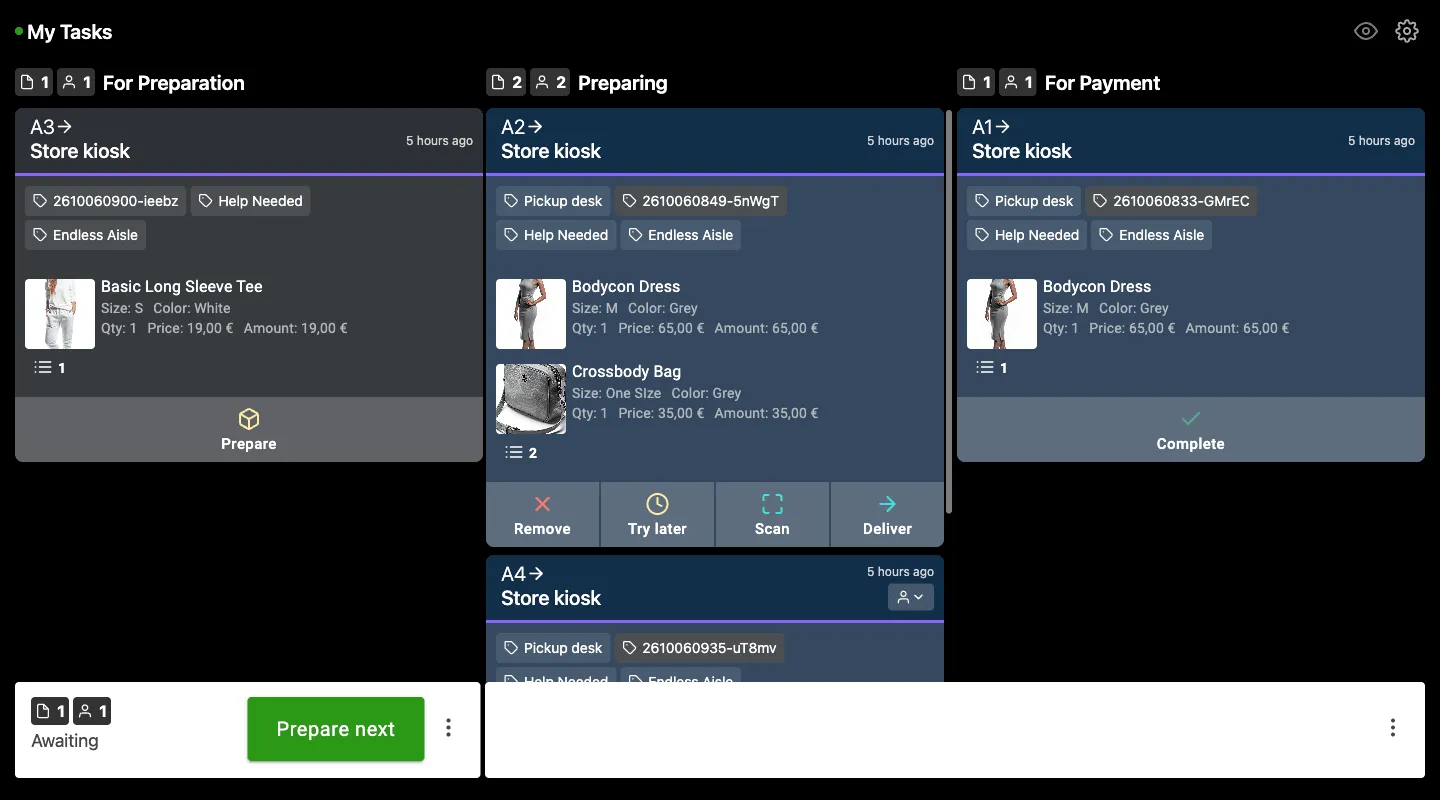
What is Tasks?
Tasks is a PhyGrid web app for store staff. It collects requests from customers in one list, so staff can pick them up, prepare them, and hand them over. Staff open it on any phone, tablet, or computer, without installing anything.
Other PhyGrid solutions send their requests to Tasks:
- Endless Aisle: orders placed on the kiosk, so staff can fetch the items and bring them to a pickup point. See Set up checkout with Tasks
- Smart Fitting Room: “Bring to me” requests for another size or colour, and calls for help from the fitting room. See Connect Smart Fitting Room to Tasks
Why use Tasks?
- One place for requests: staff see every request in the order it came in, with the products and details they need
- Faster service: customers stay where they are while staff bring the items to them
- Clear status: customers see when their request is being prepared and when it’s ready
- Fewer mistakes: staff scan each item’s barcode to confirm they picked the right one
How it works
- A customer places a request in a PhyGrid solution, for example an order on an Endless Aisle kiosk
- The request appears on the Tasks staff board, with its products and a request number
- A staff member taps Prepare, picks the items, and scans their barcodes
- The staff member taps Deliver when the items are handed over or at the pickup point
- The staff member taps Complete once the request is finished, for example when the customer has paid
The customer follows the status on their phone or on the screen where they made the request.
Get started
- Install and configure Tasks
- Connect it to the solution that sends requests:
- Show staff how to manage requests in Tasks