Prepare RFID reader for Smart Fitting Room
- Update the Zebra FX9600 device to software version 3.26.90
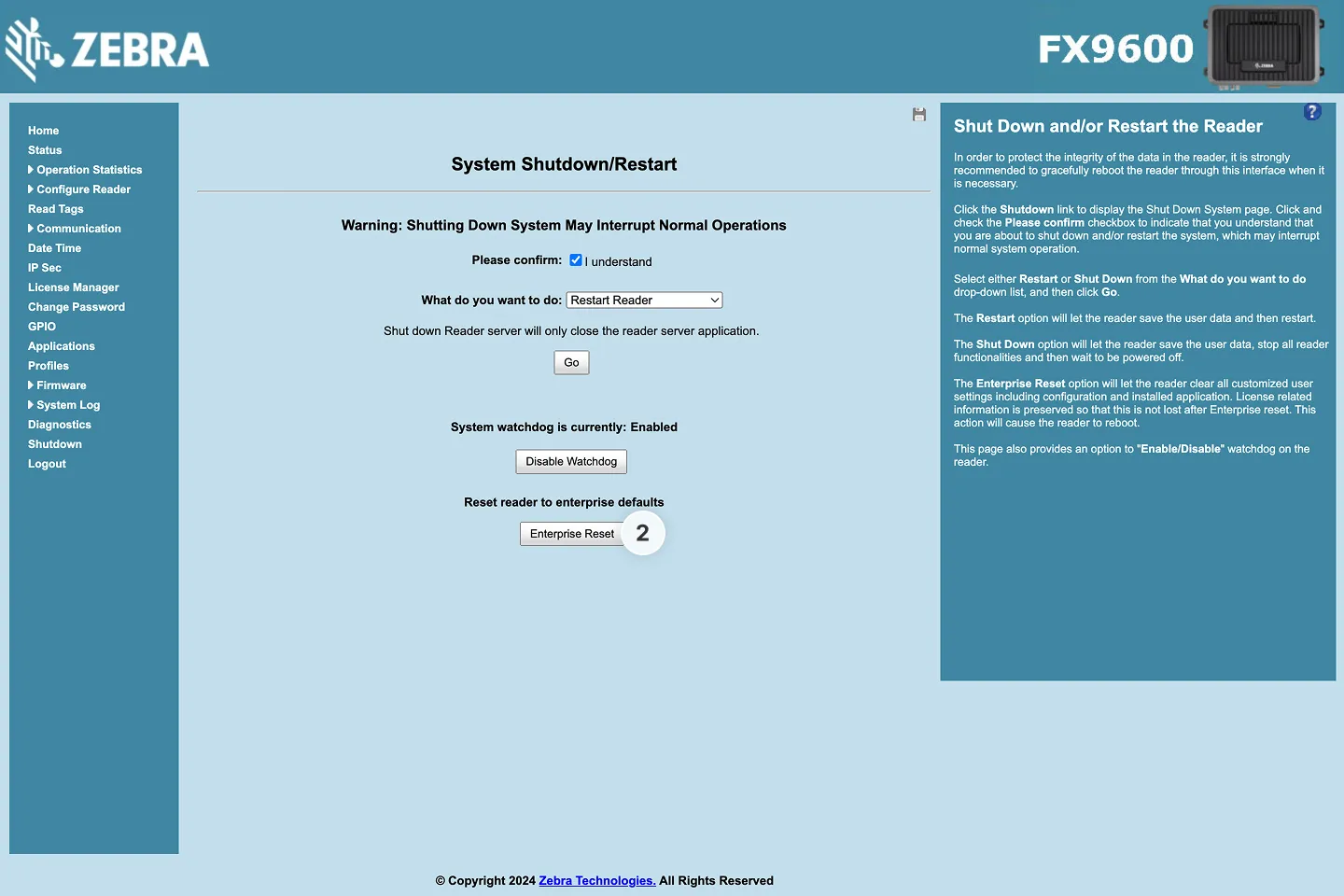
- Perform a factory reset of the RFID reader by holding down the reset button for 8 seconds or by selecting the Enterprise Reset option in the web interface’s Shutdown section
- Enter the Zebra web interface by opening
https://fx9600******/ or http://<reader-ip>/ in your web browser - the asterisks are the last six digits of the reader’s MAC address, usually found on the side of the reader itself
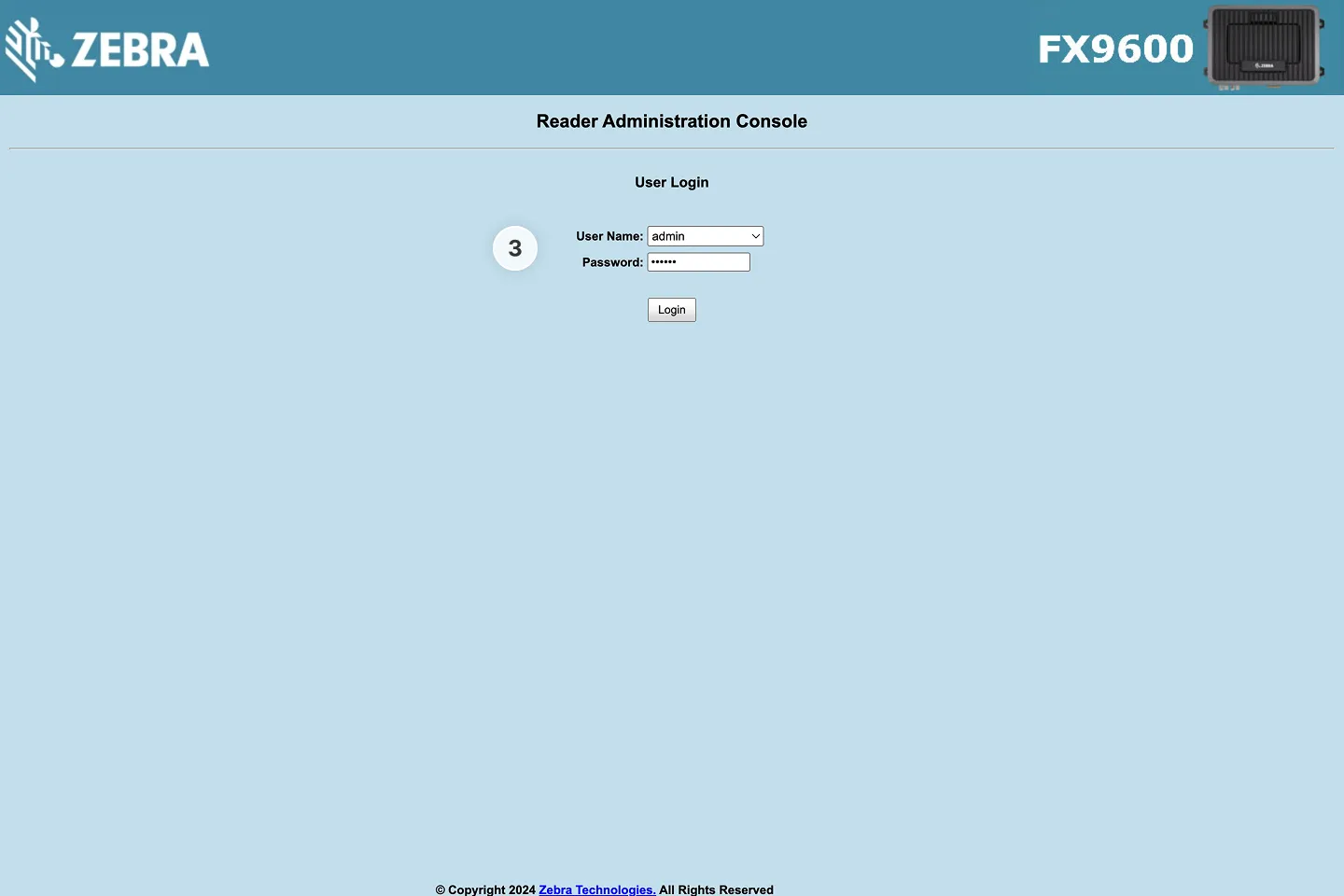
- Ignore any security warning and proceed to the login page
- Use the default username
admin and password change if you are logging in for the first time
- You will be asked to set a new password
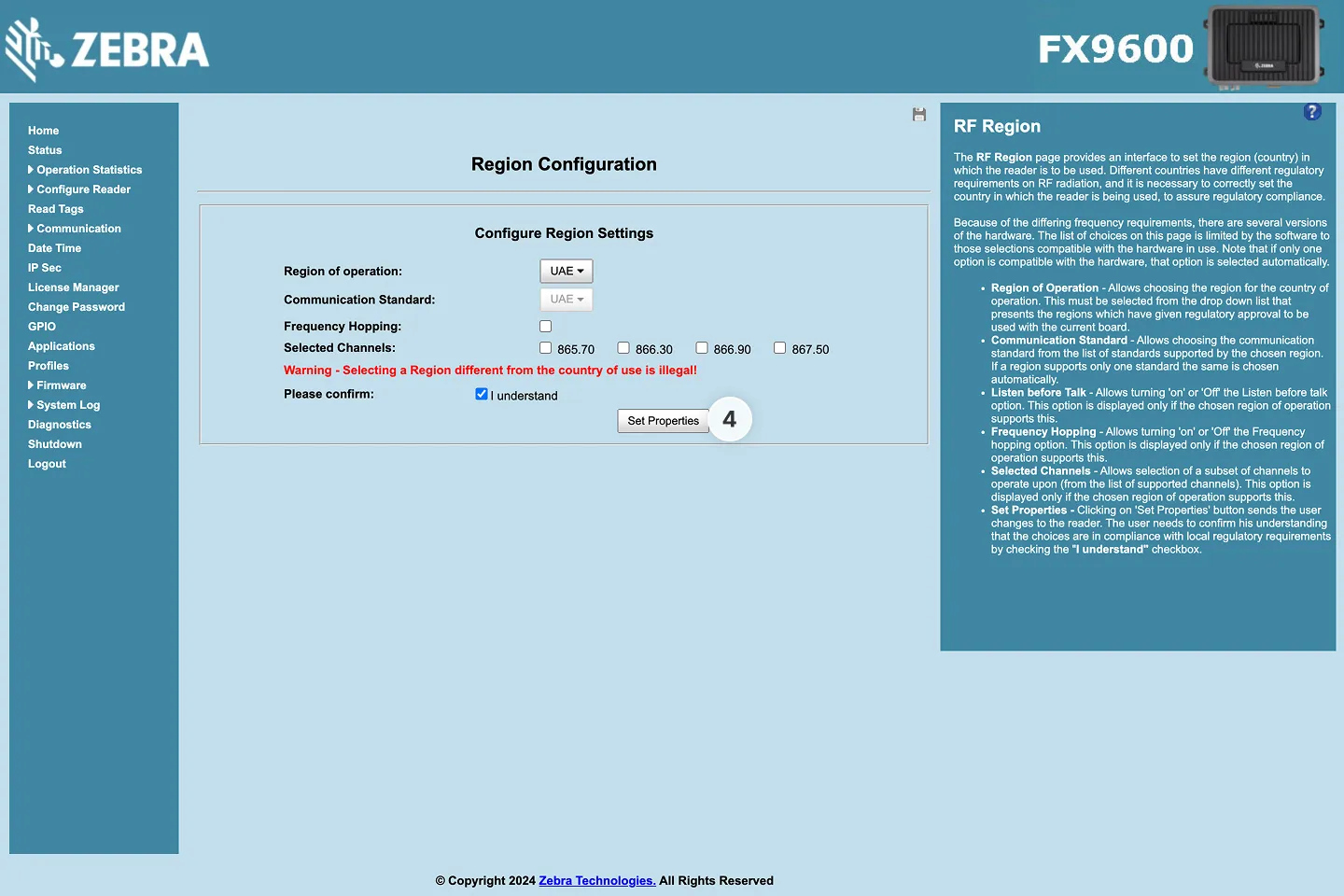
- Set the region-related RFID settings
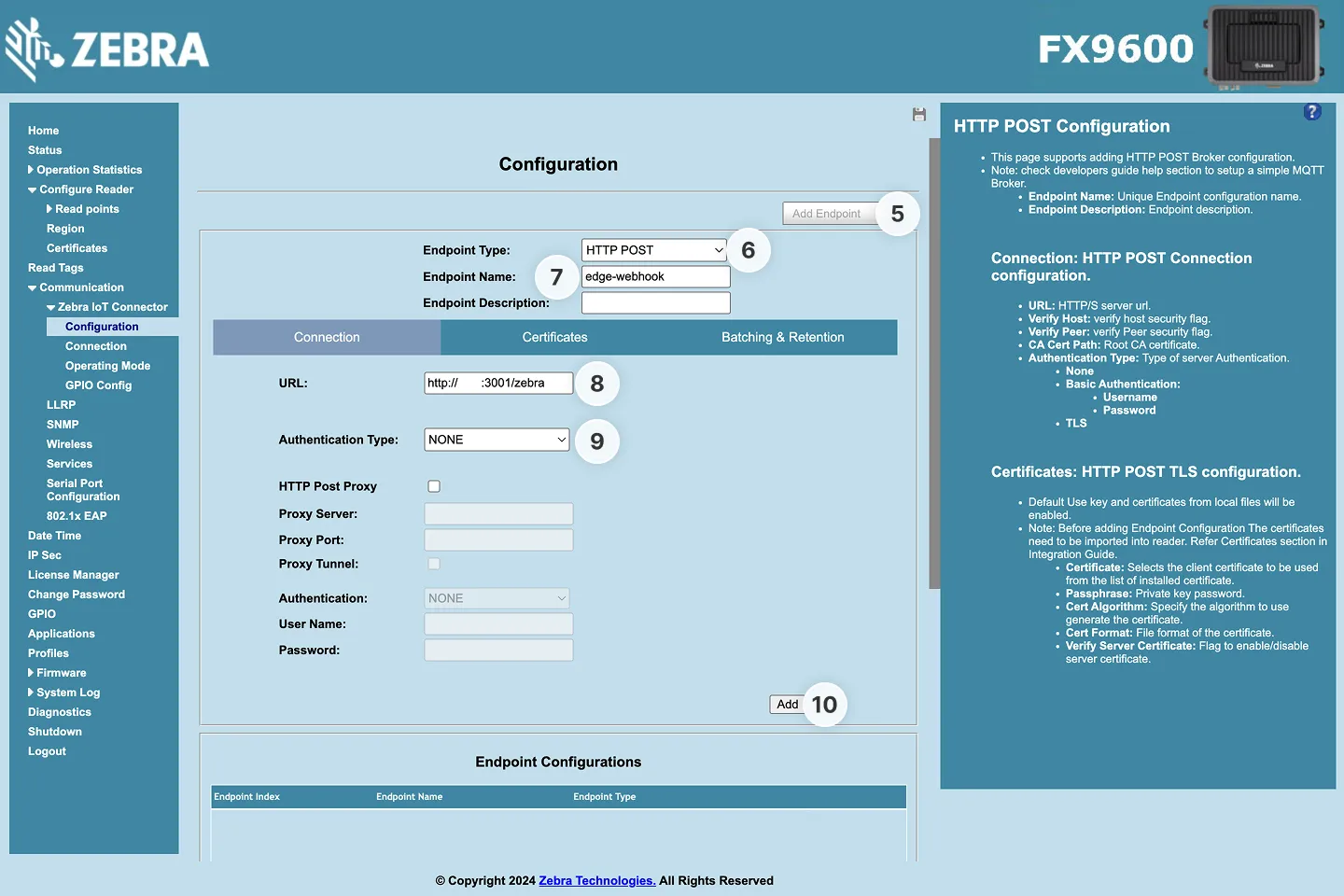
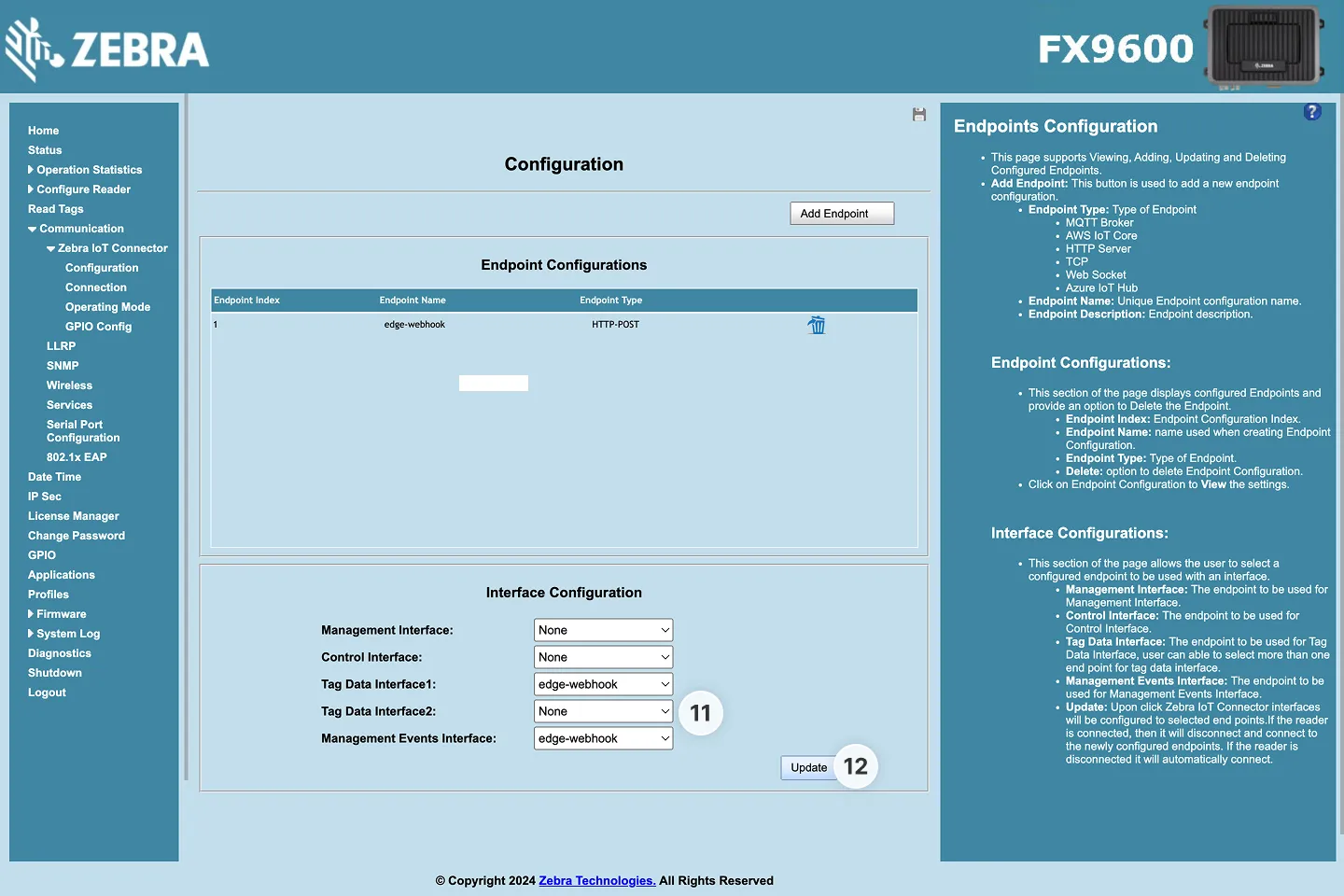
- Under Zebra IoT Connector → Configuration, click Add Endpoint
- Select HTTP Post as endpoint type
- Enter the Endpoint Name
- Enter
http://<phyos-device-ip-address>:3001/zebra as the URL
- You can get your PhyOS device IP on the device settings page
- Set Authentication Type to None
- Click Add
- Select this endpoint in Tag Data Interface and Management Events Interface, and activate Local Rest Management and Local Rest Control if those options are available
- Click Update
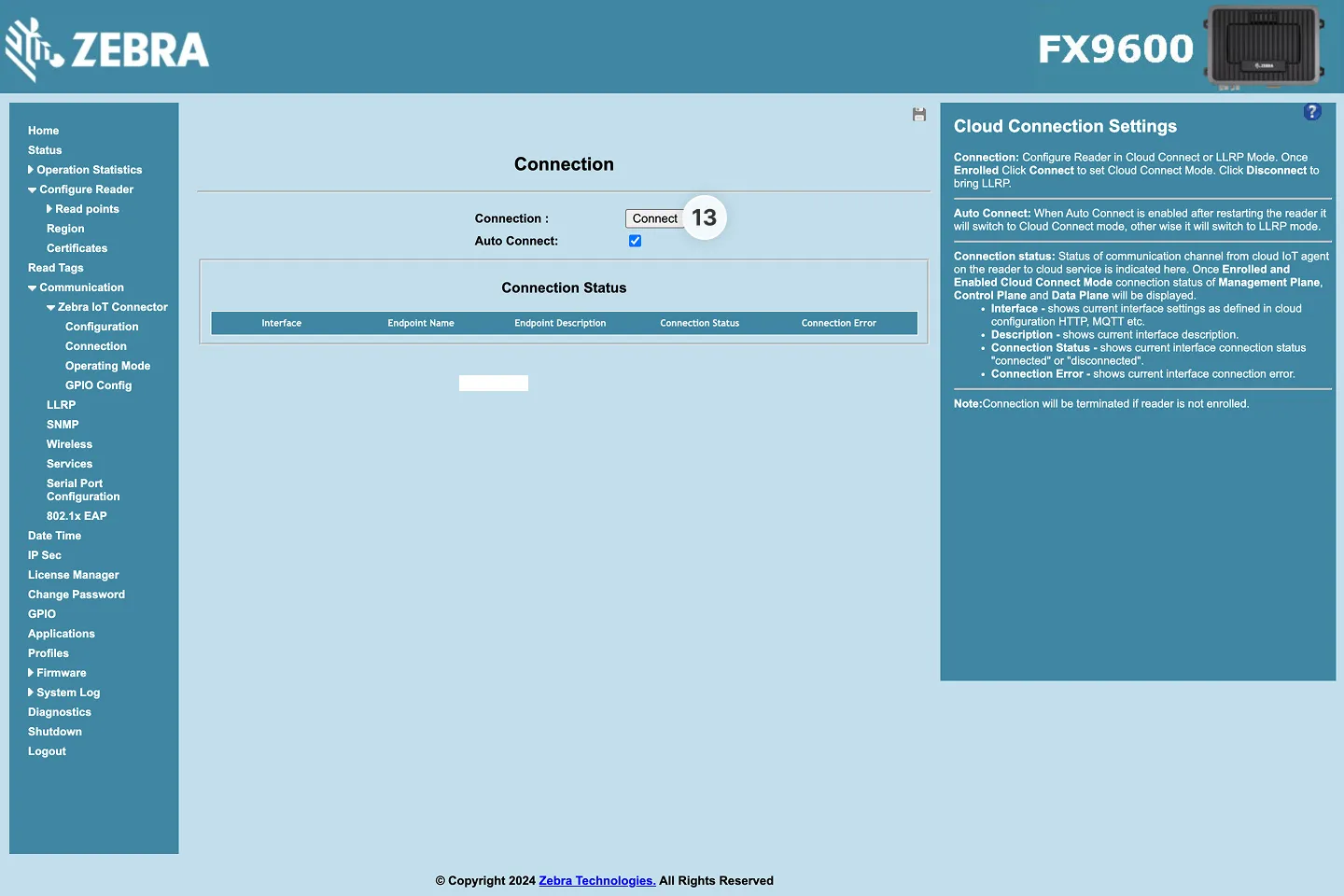
- Open Zebra IoT Connector → Connection and click Connect
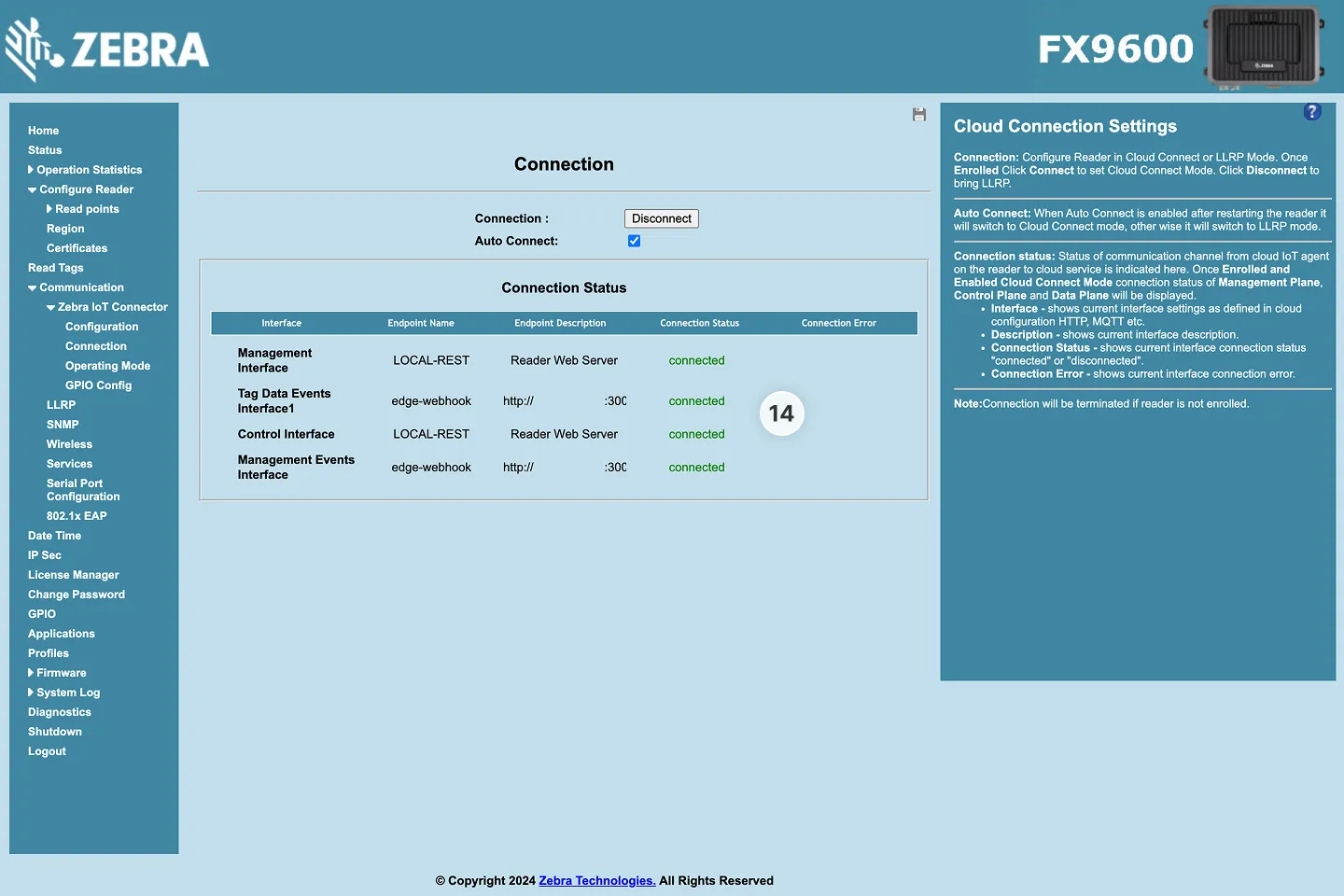
- All four statuses should show Connected