How to connect Signage Playlist to a device
Signage Playlist can run on a dedicated media player connected to a display, and it can also be installed on Samsung Tizen TVs.
Use these guides to connect your Signage Playlist installation to a device:
- Connect a new device to an installation (Giada DN74 and any x86-64 PC-based media players)
- Connect a Tizen device to an installation
How to configure device settings
To configure a Tizen device, use the TV settings directly.
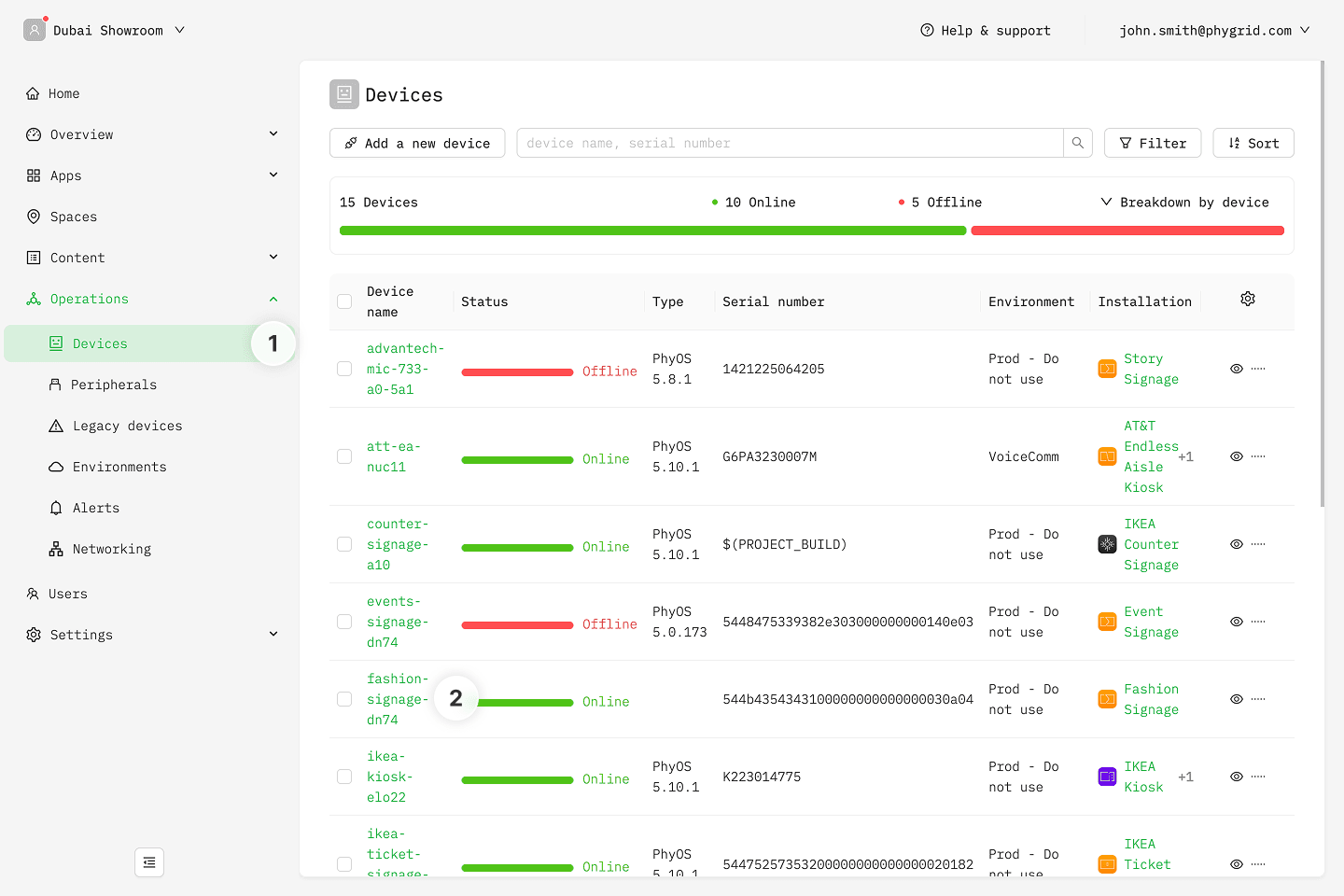
- Navigate to Operations → Devices
- Find your device and select it
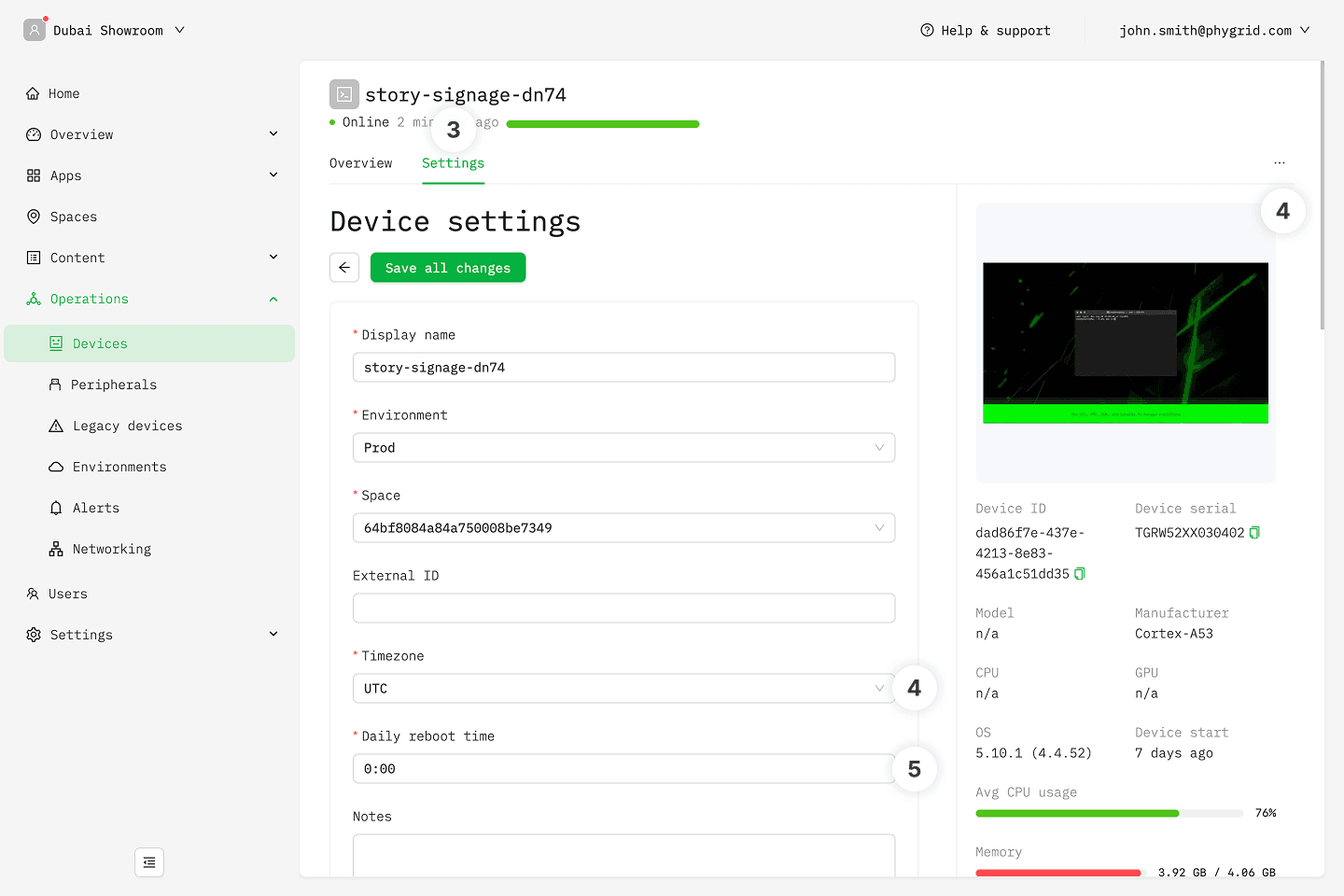
- Go to the device's Settings tab
- Set the proper timezone for the device
- Set the daily reboot time
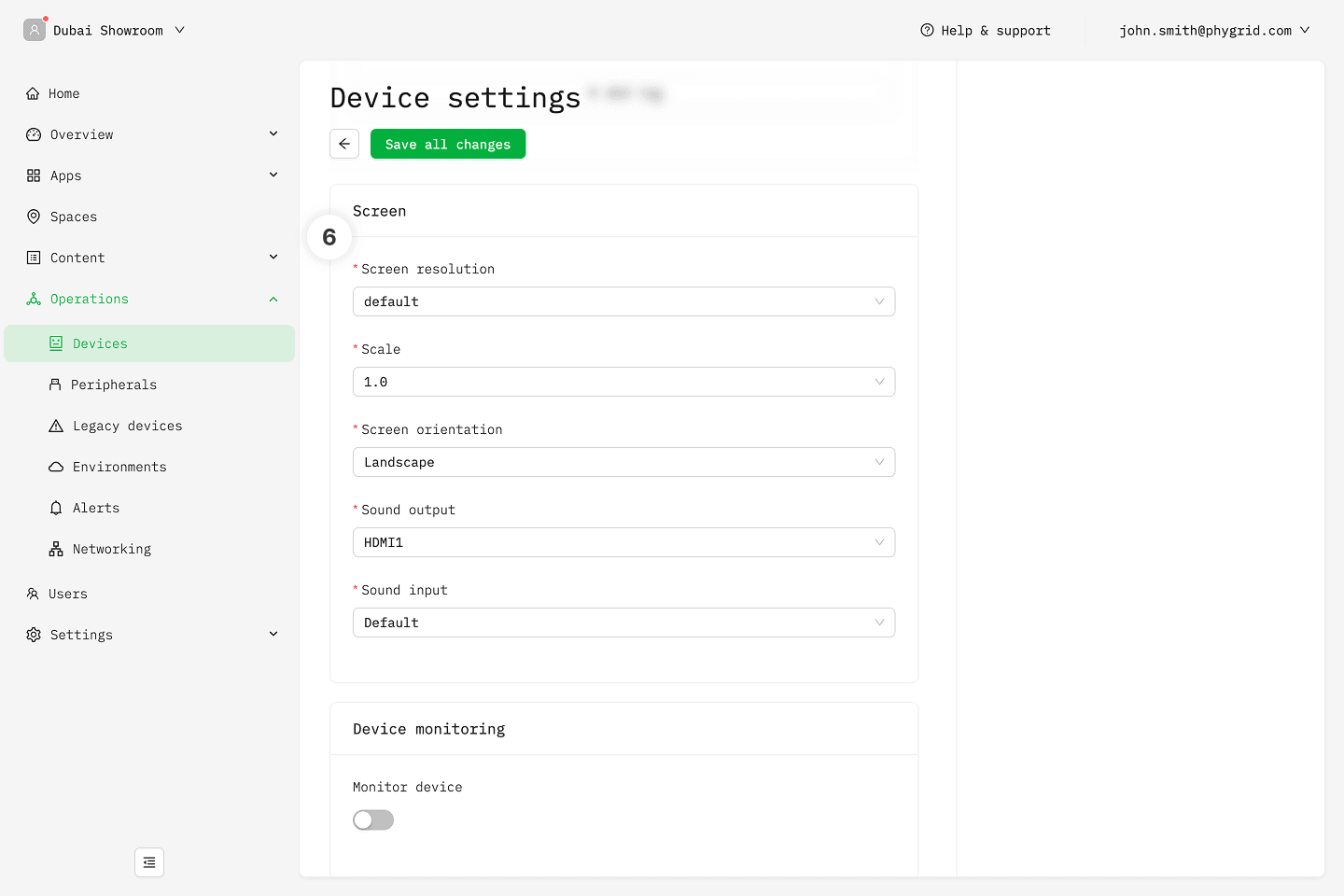
- Adjust screen settings, such as screen orientation
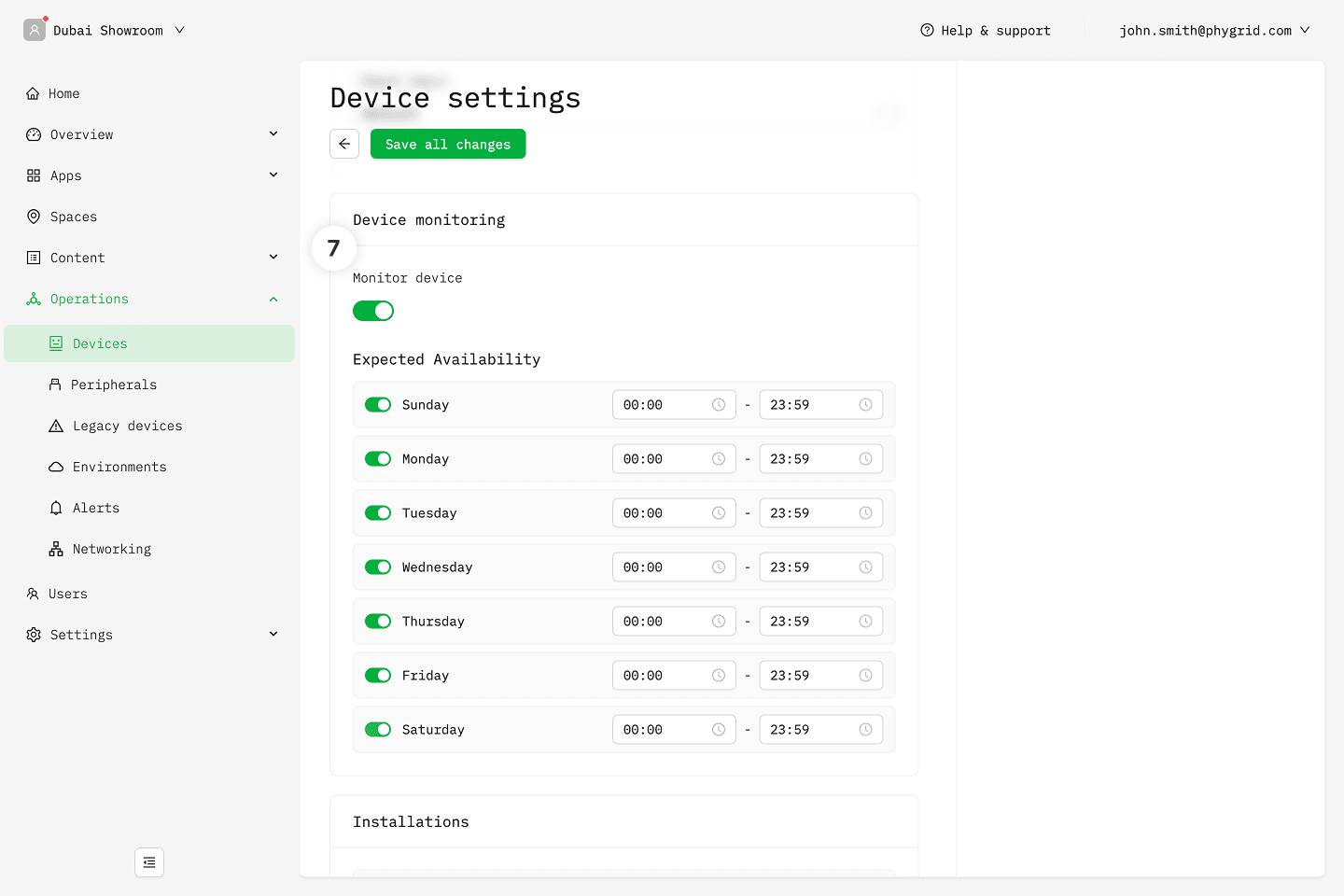
- Enable device monitoring so you can set up and receive device alerts