
How to prepare your network configuration for Xovis sensors and PhyGrid applications
This step is only necessary if you are using Xovis sensors.
- Whitelist the domains necessary for Xovis to communicate with their systems
- Whitelist the domains necessary for Sensource to communicate with the sensors: vidx.sensourceinc.com SSL port 443
- Whitelist the IPs in your data region necessary for PhyGrid to communicate with your network
How to set up Xovis sensors for automated people counting
Reach out to PhyGrid for procurement of Xovis hardware and staff exclusion badges.
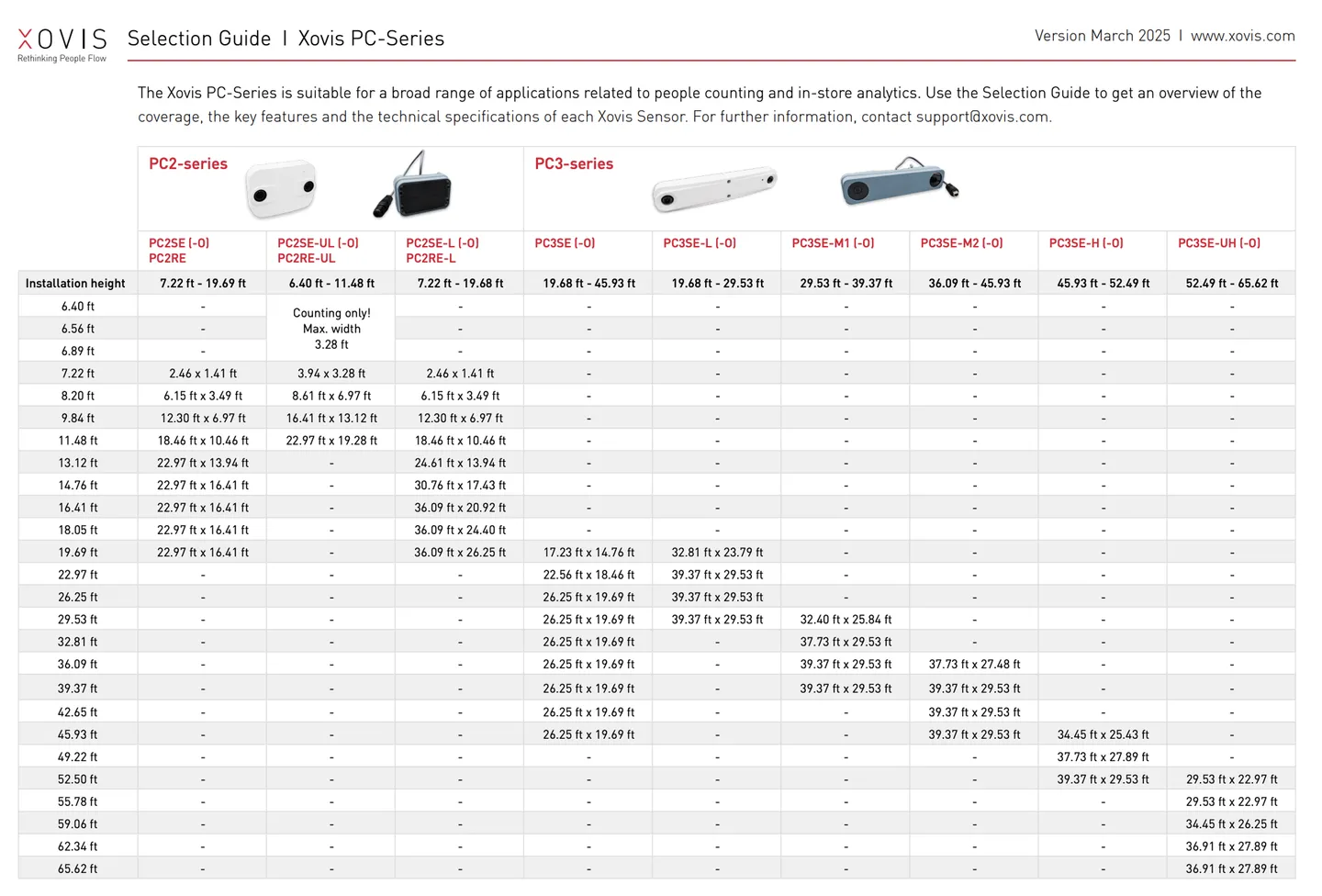
- Prior to setting up the sensor hardware, location details need to be prepared and shared with PhyGrid so that it can be determined how many sensors can cover the location, which type of sensors are better utilised (standard or high ceiling), and if any mounting accessories will be required
- Sensors are installed in the ceiling about 10-20 feet in from the entrance / exit. Default recommended sensor is Xovis PC2SE, however if the entrance is very wide a PC2SE-UL should be used
- Xovis sensors make use of Power over Ethernet (PoE), so you can utilise one cable both for network and power
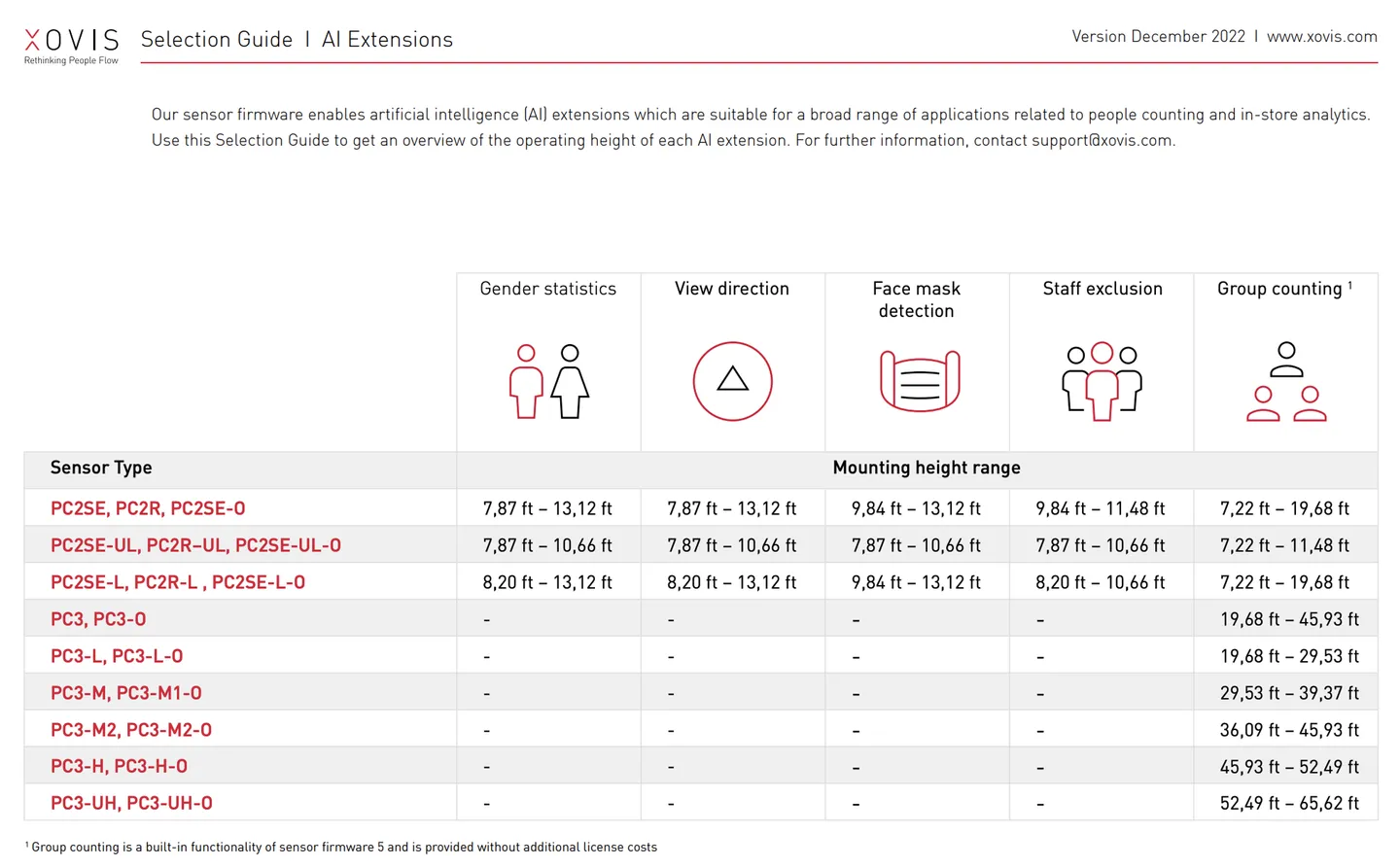
- Staff exclusion option can be enabled for increased accuracy as it automatically removes staff from footfall numbers. Staff exclusion requires a separate licence, and physical badges worn by staff
- PhyGrid will set up the data push based on the specific Occupancy Control installation to ensure the Xovis sensors are communicating with the installation