
What are products?
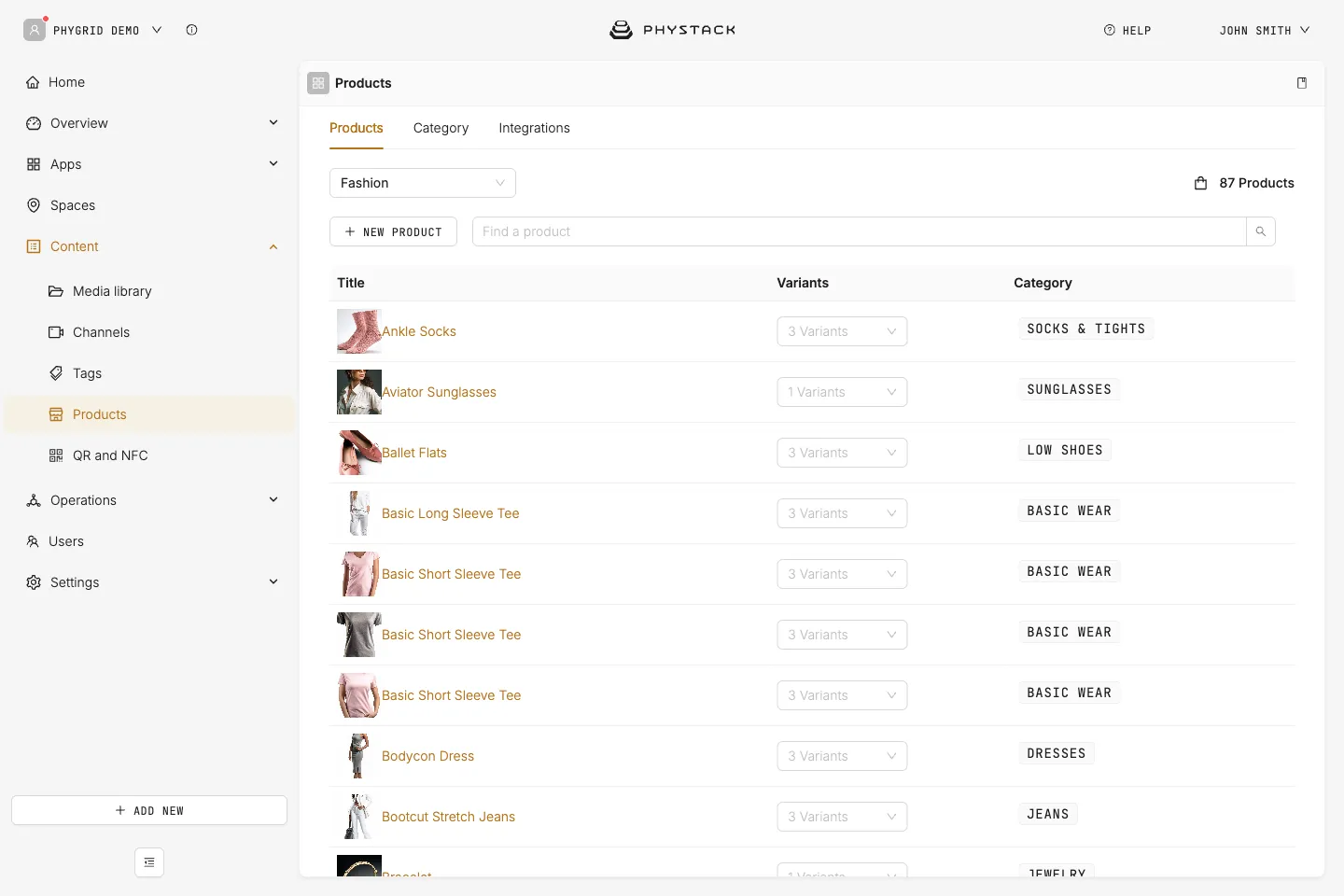
Products are your catalogue in the PhyGrid Console, under Content → Products. Endless Aisle, Lift & Learn, Smart Fitting Room and Self-Checkout all read from it. A product you add once works in every solution in the same environment and space.
The page has three tabs:
- Products: your products, with their variants and categories
- Category: the categories and subcategories products belong to
- Integrations: scheduled imports from a Google feed. Only admins see this tab
How products are organised
- Environment: each product and category belongs to one environment, chosen when you create it. It can’t be changed later. A solution shows the products of its device’s environment
- Spaces: each product is assigned to one or more spaces, such as stores or an online warehouse. Prices, stock and product status are set per space, so one product can cost more or be out of stock in one store only
- Categories: each product belongs to one or more categories, and categories can have subcategories. Solutions refer to a category by its Identifier, for example the category tiles on the Endless Aisle home screen
- Variants: sizes, colours and styles. Every combination becomes a variant with its own product ID, name, barcodes (EAN, GTIN or UPC), price and stock
- Languages: titles, descriptions and variant names are kept per language. Solutions show the text in their own language
Ways to add products
- Google Product Feed: imports your catalogue from the feed you use for Google Merchant Center, with one feed URL per language. Best for a full catalogue that changes often
- Google Local Inventory: imports store stock and prices from your local inventory feed
- By hand: best for a small catalogue or for fixing single products
- PhyGrid API: sends products, variants and stock levels from your own system (such as a PIM, ERP or e-commerce platform) in batches. See Manage products with the PhyGrid API
Both Google integrations import at the times you set each day, not in real time.
Who can manage products
What a user can do depends on their role in your tenant:
- Admin: everything, including the Integrations tab
- Editor: create, edit and delete products and categories. Editors don’t see the Integrations tab
- Viewer: view products and categories only
A custom role can allow any of these separately. See Invite a user on learn.phystack.com.
Get started
- Add your products with a Google feed integration, the PhyGrid API, or create a product by hand
- Create categories for the way you want products grouped
- Check what your solution needs, for example Make products show on the Endless Aisle kiosk