

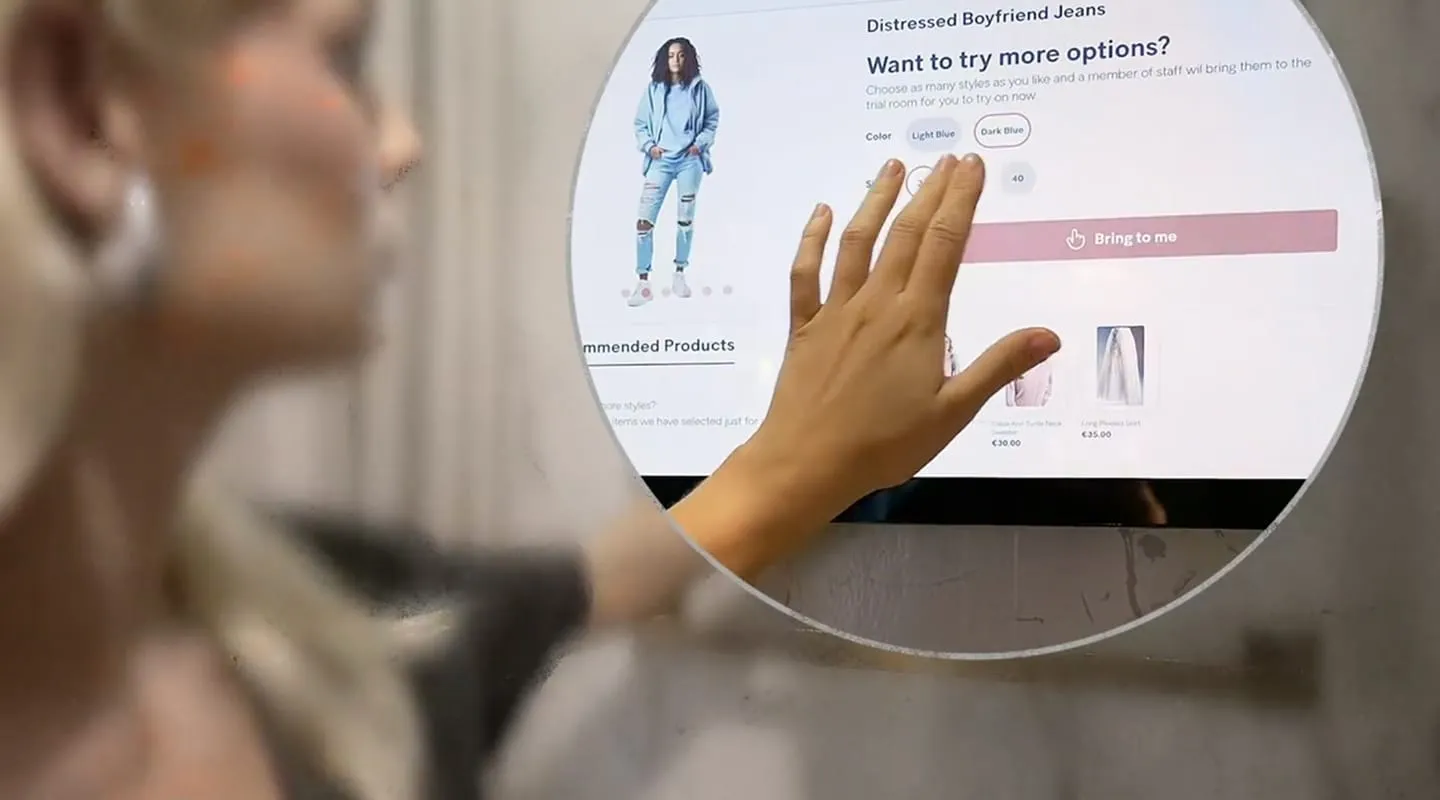
What is Smart Fitting Room?
PhyGrid Smart Fitting Room is an app for a touchscreen in the fitting room. An RFID reader recognises the tagged items a customer brings in, and the screen shows their product pages. From the screen, customers can ask for another size or colour, or call for help. The requests go to Tasks, where staff pick them up and bring the items to the fitting room.
What Smart Fitting Room does
Product information
- Automatic recognition: The RFID reader recognises tagged items brought into the fitting room, without scanning
- Product pages: The screen shows each item’s images, price, and available sizes and colours
- Stock: The screen checks stock before it shows a size or colour as available, and can show the stock count for each one
- Recommendations: Suggested items from your product catalogue, or similar items and complete-the-look suggestions from Streamoid
- QR code: Customers scan a QR code to open the product’s link, or a fixed address you choose
Requests to staff
- Bring to me: Customers tap Bring to me to ask for another size or colour of an item
- Call for help: Customers ask for assistance without choosing an item
- Request status: The screen shows when a request is sent, when the item is on its way, and when it’s delivered
- Waiting time: Optionally, the screen shows a waiting time based on whether the item is on the shop floor or in the back office
- Tasks: Staff see each request in Tasks, labelled with the fitting room screen it came from. See Connect Smart Fitting Room to Tasks
Session and branding
- Idle screen: An image or video plays while no tagged items are in the fitting room
- End of session: The screen returns to idle after a period without RFID activity, or when the customer ends the session
- Customer feedback: Customers can give an NPS rating at the end of their session
- Your brand: Set your own fonts, colours, light or dark theme, and button style
Quick setup
- Integrate your product catalogue
- Prepare RFID tags for your products
- Install Smart Fitting Room from the Marketplace
- Connect Smart Fitting Room to a device
- Prepare the RFID reader
- Install and configure the RFID reader peripheral
- Connect Smart Fitting Room to Tasks, so staff receive requests
- Set up Smart Fitting Room with products and settings
- Show staff how to manage requests in Tasks