

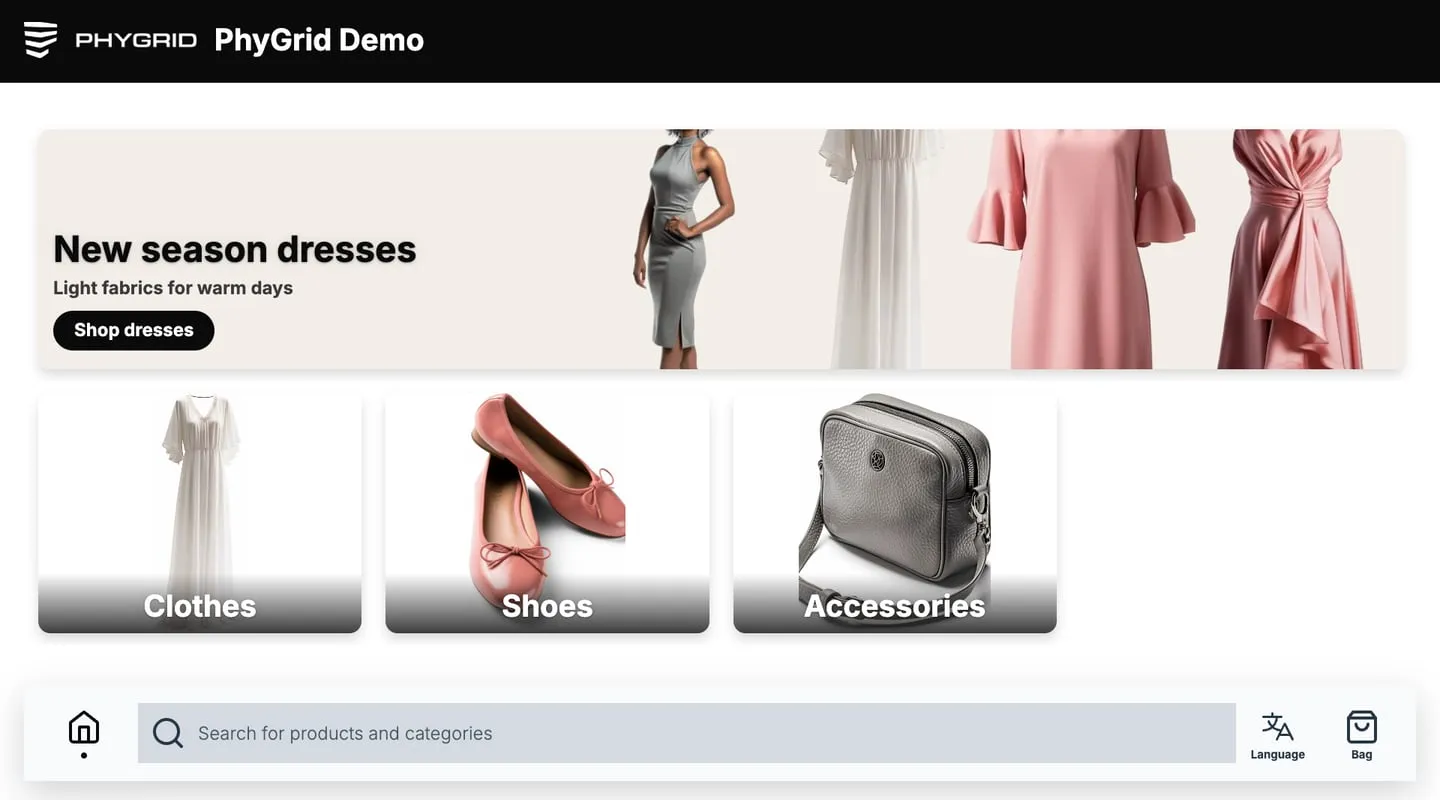
What is Endless Aisle?
PhyGrid Endless Aisle is a kiosk app that shows your product catalogue in the store. Customers browse categories, search, and open product pages, including products the store doesn’t have on the shelf. They add products to a bag and check out on the kiosk, on their phone, at the till or through staff. The kiosk shows the products in Content → Products.
What Endless Aisle does
Product browsing
- Your catalogue on the kiosk: Customers see the products assigned to the kiosk’s space, and optionally products from other spaces
- Home screen and categories: Banners and category tiles lead customers to product lists, single products or other content
- Search, filters and sorting: Customers search the catalogue, filter by product features and price, and sort the list
- Product pages: Images, description, price, sizes and colours, and recommendations
- Barcode scanning: Scanning a product’s barcode with the kiosk’s barcode scanner opens its product page
- Stock: Products without stock are hidden or can’t be added to the bag. Stock comes from your product catalogue
Bag and checkout
- Bag: Customers add products to a bag and review it before checkout
- Five checkout methods: Customers pay on their phone with Grid Checkout, or continue in your web shop. They can also take a printed receipt to the till, or place an order that staff prepare in Tasks, with or without a receipt and delivery details. See Choose a checkout method
- Sales employee: With Grid Checkout, staff can link their employee ID to the sale
- Customer feedback: Customers can give an NPS rating from the bar at the bottom of the screen
In-store features
- Idle screen: An image or video plays while nobody uses the kiosk. After a period without use, the kiosk empties the bag and returns to it
- Call for help: Customers tap Help to notify staff
- Continue on mobile: A QR code moves the session to Endless Aisle Mobile on the customer’s phone
- Your brand: Set your own logo, fonts, colours and light or dark theme. See Customise the look of Endless Aisle
- Analytics: See sessions, product views, barcode and RFID scans, bag activity, calls for help and purchases (see Analytics)
Getting your products in
Endless Aisle uses the products in Content → Products, so products you already use for other PhyGrid solutions work here too. You can import them from a Google Product Feed on a daily schedule, send them through the PhyGrid API, or create them by hand. See the Products overview and Integrate your product catalogue for Endless Aisle.
Quick setup
- Install Endless Aisle Kiosk and connect it to a device
- Integrate your product catalogue and make the products show on the kiosk
- Set up Endless Aisle, the home screen, and the idle screen
- Choose a checkout method and set it up
- Customise the look to match your brand