Install and configure Tasks app for order management · Learn PhyGridInstall and configure Tasks app for order management
How to install the Tasks app
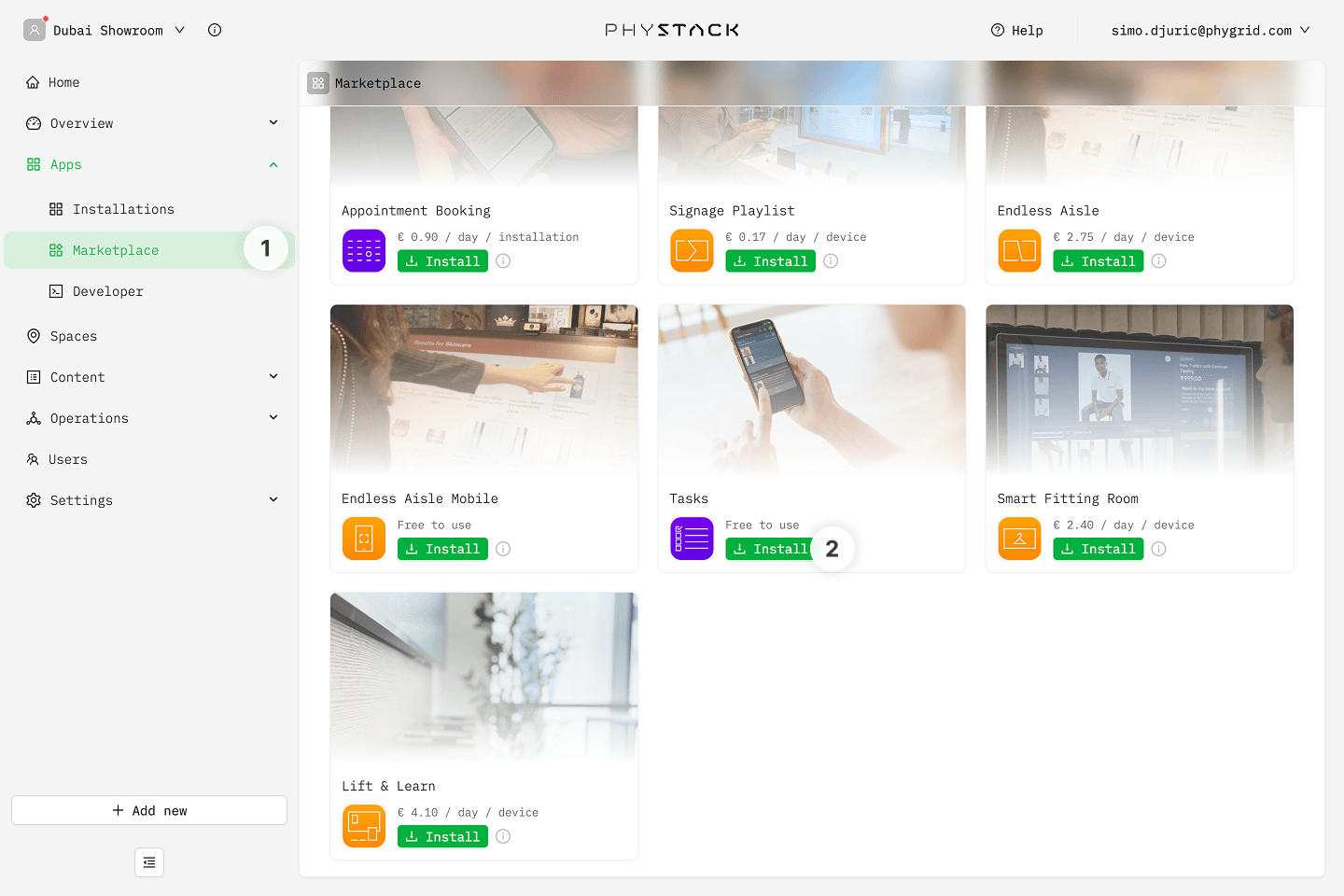
- In the sidebar, navigate to Apps → Marketplace
- Look for Tasks App in the list of applications and click on the Install button to open the installation dialog
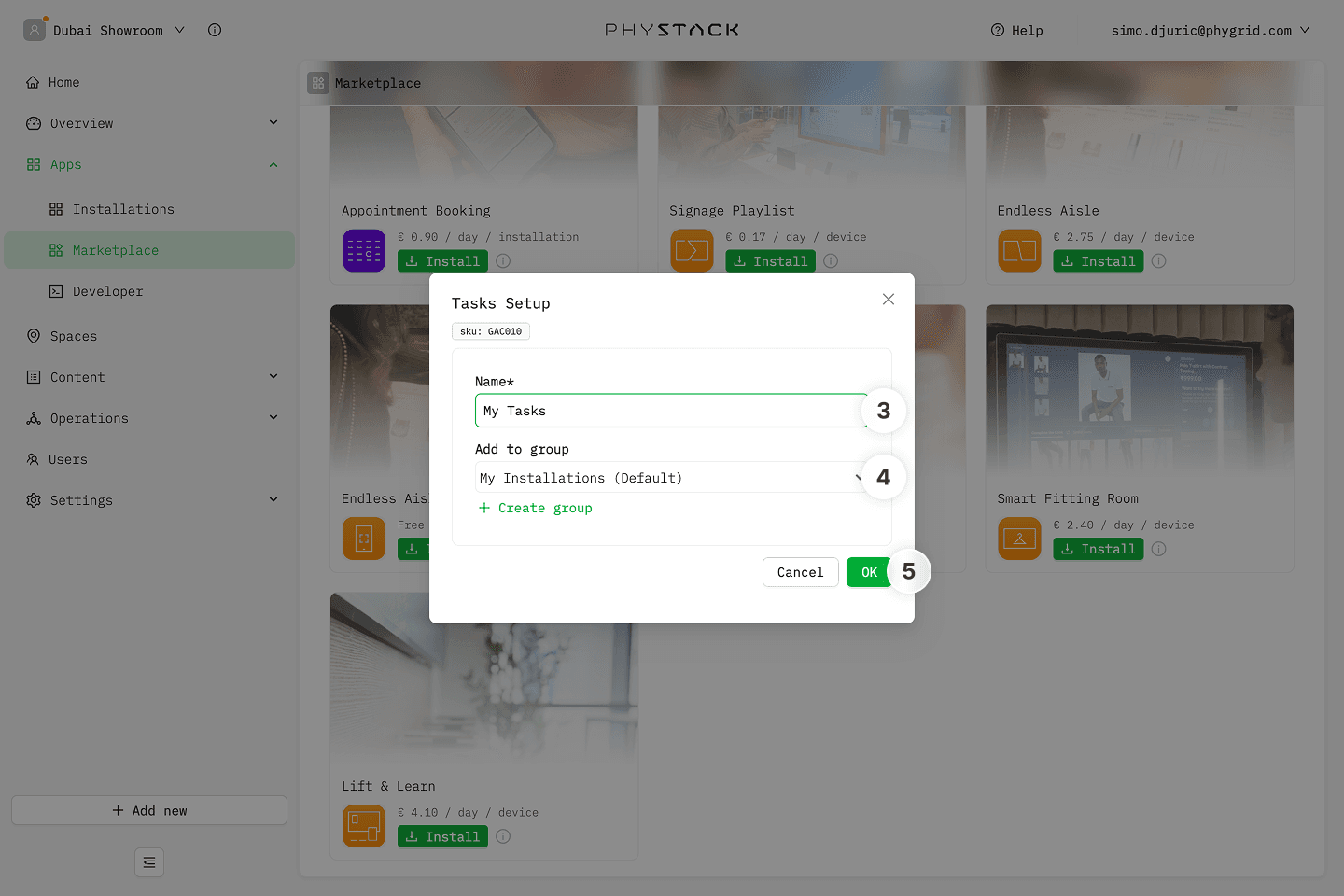
- In the installation form, enter a Name for your playlist
- Optionally, select a Group to organize your installations
- Click OK to create the Signage Playlist installation
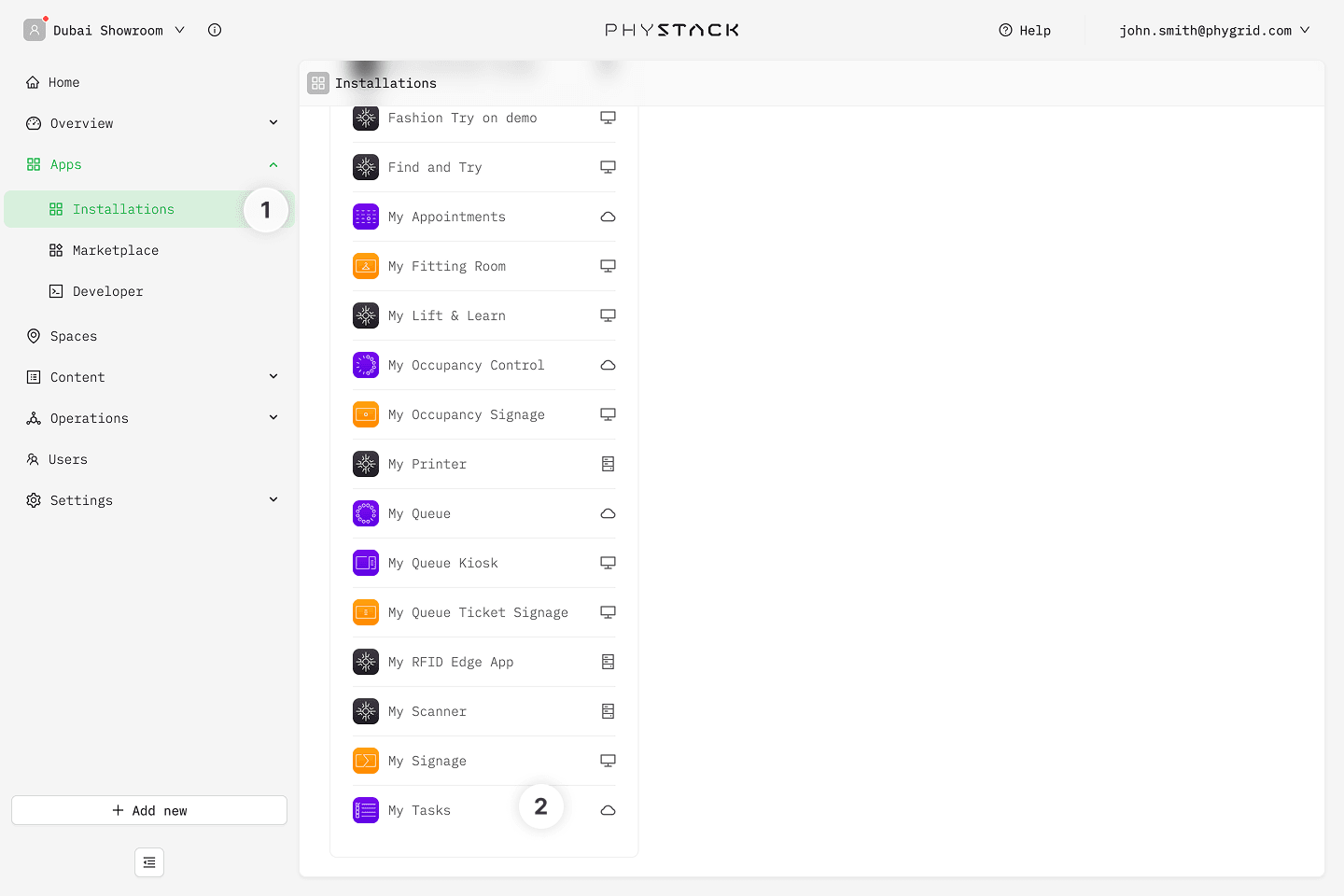
- Your new installation will be available in the sidebar under Apps → Installations
- Open the installation
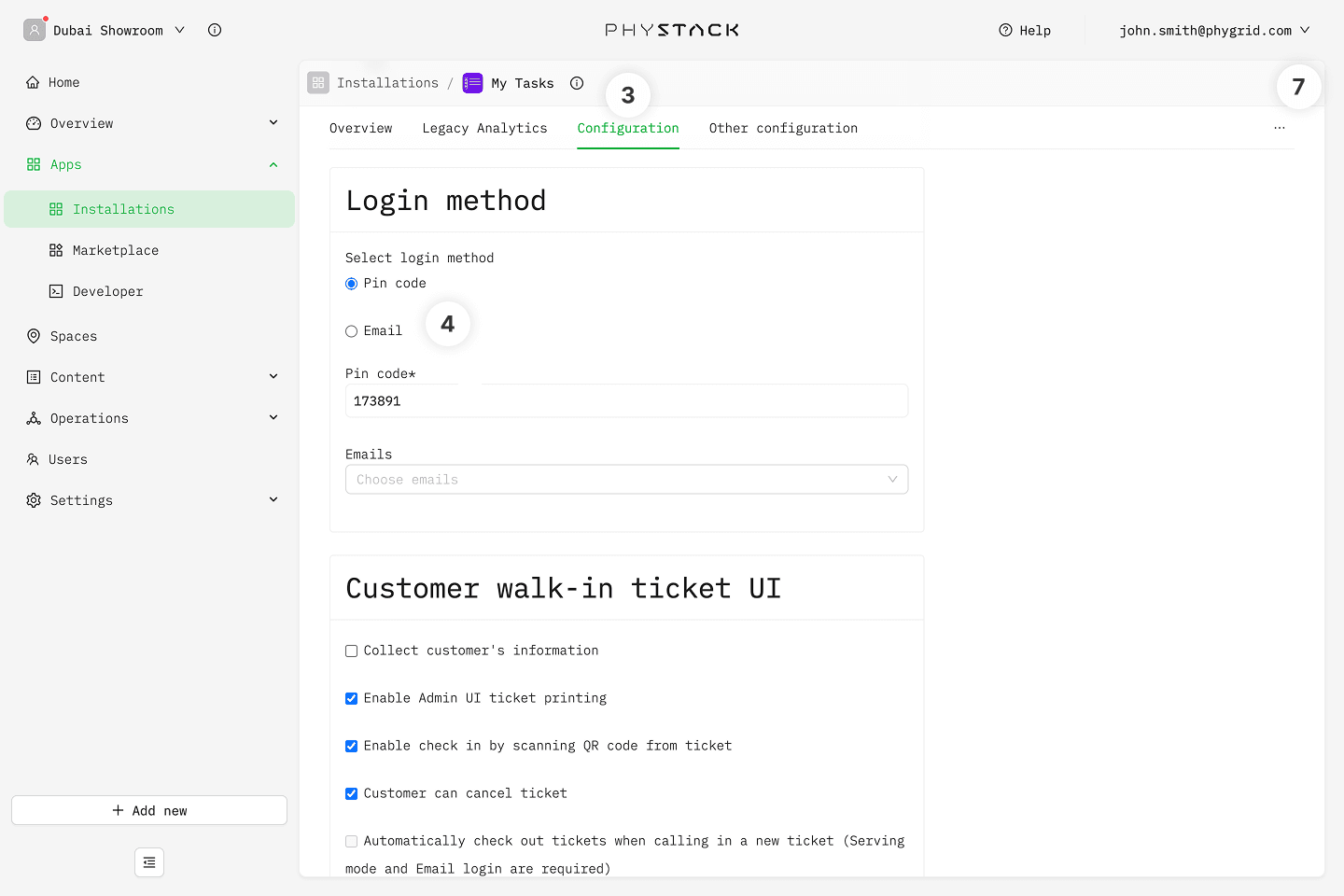
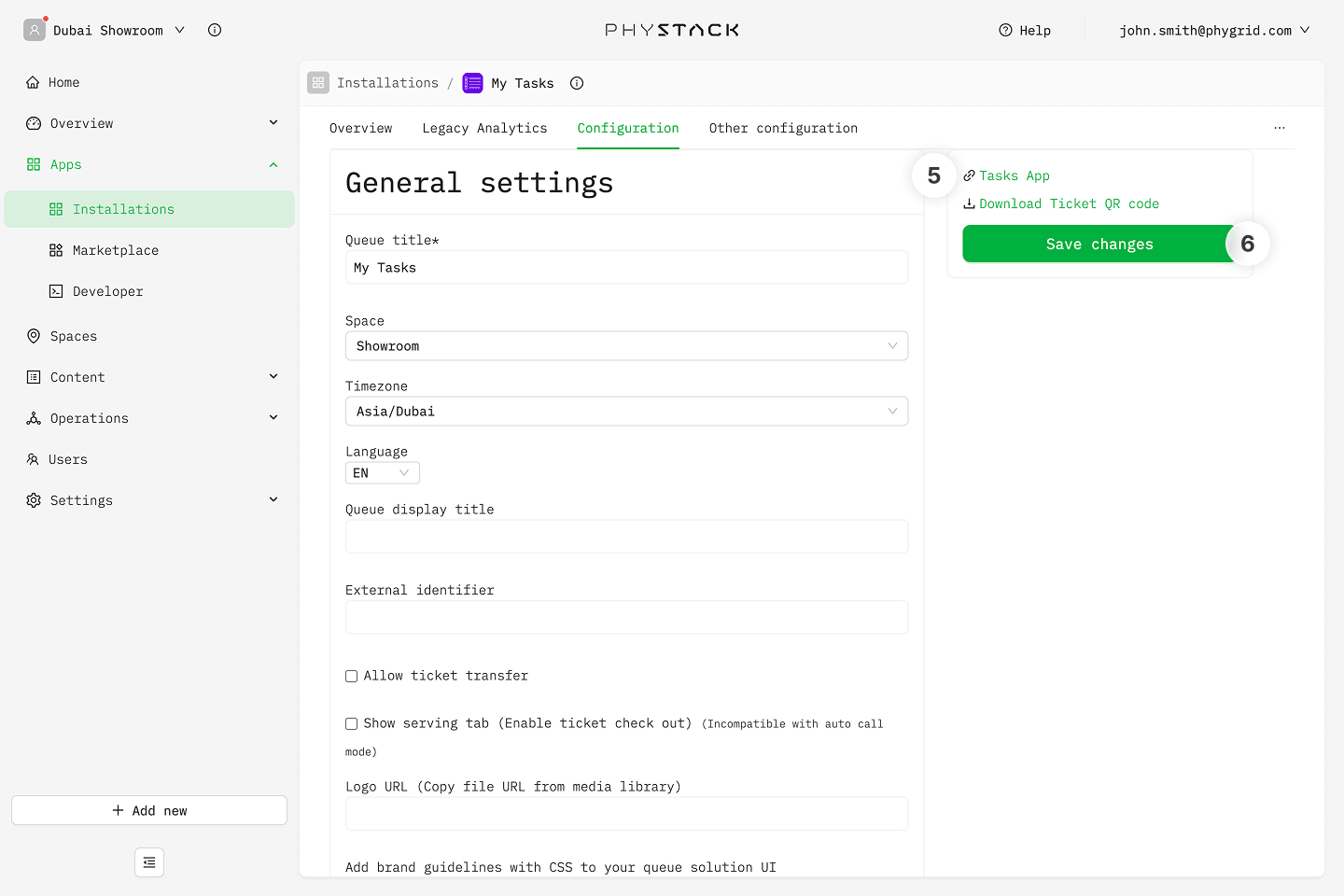
- Go to the Configuration tab
- Set the login method that you will use to access the Tasks app
- Pin code doesn't require any additional set up, and you can start using the Queue immediately
- Email login requires you to first invite users to the tenant
- Note the Tasks App url in the sidebar to open the Tasks web app on the device that you will use to manage incoming orders
- Save any changes